M V
Amazon.in5 Oct 2023
Nearly cried setting it up Nearly cried setting it up
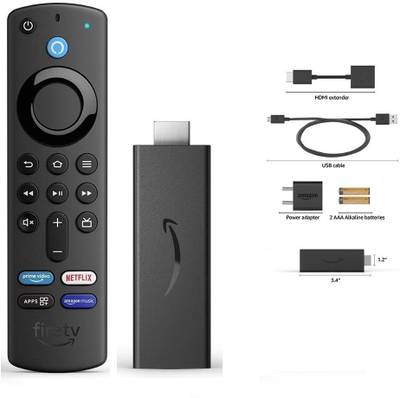
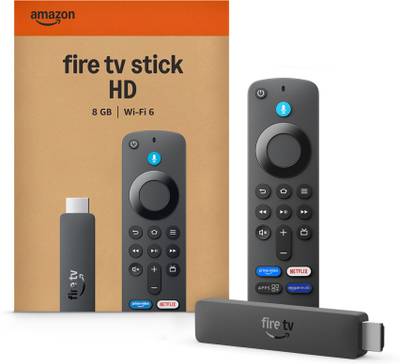
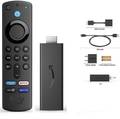
Okay, first things first, I bought this on a whim. It had been on my wishlist for sometime and when the price went down, I snatched it up happily. Got it for Rs. 2199/- and that seemed like fair deal. Arrived super quickly without Prime delivery and was handled with care, so kudos for that. Onto more important things. - The main setup. Do this carefully. I watched multiple videos of setting it up so I had some idea about what to do. The problem occured because I didn't have another plug close enough for the adaptor. That's on me, but that was annoying. So make sure you either have your TV near two plugs, one for your TV and one for the adaptor, or you buy a plug extension alongside this. - As for the set up itself, it took a while to download all the updates. Do NOT turn your TV off during this and make sure your WiFi connection is absolutely seamless. Also, while purchasing, make sure you select the option that says "Connect to your Amazon account" it should be up there under the Buy Now button. Once these initial updates are downloaded, you can sign in to your Amazon account manually or download the FireTV app on your phone and scan the QR code to sign in. If you selected the aforementioned option, you'd be signed in already. - Then you set up the remote. This is when everything crashed for me. One second the TV was on, the next it's having a stroke. I watched half a dozen of videos, rebooted the FireTV Stick. It kept showing No Signal after that, the remote was no longer connected and the Stick wasn't connecting to WiFi. I genuinely don't know how it happened, but after disconnecting everything, leaving alone in a corner for a few hours, I reconnected everything and it connected automatically to the WiFi. Had to do some of the set-up again, like signing in and the remote setup. But it worked fine after that. The connection to the HDMI port is still kinda iffy, so it gives early 2000s TV static. Nostalgic, but it's not one of the things I'd like to have again. I have to maneuver the cables here and there like those wired earphones when they only play in one ear. - Everything else is GREAT. Signing in to Netflix, YouTube, Amazon Prime and a bunch of other apps was a breeze. I haven't even gone through all the options yet, there are like hundreds. Just make sure you have a stable internet connection and scan the QR codes to sign in. - The BEST thing? You can also connect to your Bluetooth Earphones, Headphones, Speakers, Mics, Keyboard and Mouse. I did not know that! I'm so glad because people are sometimes bothered by the TV volume, now I can just connect my headphones and watch HD in peace. Also, if you want to annoy your siblings, connect to the FireTV App. Use the virtual remote. Thrive. Anyway, so far I've only cried once. If it makes me cry again, I'm knocking down one star. Read more Read less
- Value for money
- Ease of use
- Delivery & packaging