
Nikolai
Amazon.in2 Jul 2019
Verified purchase
Calidad
Precio Read more Read less

Wait for a sale. ₹19,267 is its everyday list price. It sold for about ₹12,990 in 19 of the last 24 months, as low as ₹9,500 (Dec 2024).
Seller 2.0★ · 10-day returns · COD · FREE delivery Thursday, 3 December
Sold by Trendora Global
Checked
We may earn a commission when you buy through these links. It never changes the price or the order.
DudScore
Mixed signals. Compare before you buy.
Early score: few reviewsToday's price against the prices it has sold for.
From 267 days of our own price history, across stores.
₹19,267
On Amazon.in
The nearest alternatives in this category and price range.
 USB 3.0 Flash Drive KOOTION 10 Pack 32GB Thumb Drive 3.0 USB Stick Keychain Memory Stick Swivel Jump Drives,Mixcolors₹16,780₹2,487 cheaper
 Kootion 50pcs 1GB USB Flash Drive 1 GB Flash Drives 50 Pack Thumb Drive Swivel Memory Stick Jump Drive,Black₹20,113Similar price
 DHRUVPRO RT809H EMMC-Nand Flash Programmer NOR NAND EMMC EC MCU ISP High-Speed Reading Writing₹16,449₹2,818 cheaper
Ratings on stores (67)Reviews on Whydud (6)
No customer photos yet. Add yours with a review
Customer rating
4.4out of 5
67 ratings across stores
| 5★ | 79% | |
|---|---|---|
| 4★ | 7% | |
| 3★ | 0% | |
| 2★ | 3% | |
| 1★ | 10% |
83% verified purchases
Nikolai
Amazon.in2 Jul 2019
Precio Read more Read less
balco
Amazon.in29 Oct 2022
Facile d'utilisation et sécuritaire, possible de configurer pour plusieurs utilisateurs Read more Read less
Amazon Customer
Amazon.in12 May 2021
I have earlier version if this pendrive and its been over 4 years i have been using it. There is no difference in its battery or the keypad or anything else till date. Though you have be extra aware when setting the passwords coz if you forget your data is lost forever, which also is a good thing. Read more Read less
Gianluca PG
Amazon.in29 Mar 2021
La configurazione del PIN è risultata semplice, dopo aver tradotto le complete istruzioni scaricate dal sito produttore; nella confezione c'è una versione minima. Viene riconosciuta perfettamente e velocemente sia sotto Windows che sotto Linux. Viene letta bene anche dal telefonino Samsung, con attuatore USB A - USB C, ed opportuna configurazione. Consigliata. Read more Read less
Kindle Customer Debbie Dutton
Amazon.in19 Nov 2021
tried to reset admin password and would not work. called customer service and still waiting. Read more Read less
TheEngineer
Amazon.in4 Mar 2019
Updated as there was an error in key sequence: Having used the memory stick for a short period of time, I am updating my original review and increasing the number of stars I award it. I stand by what I originally said, setting the user code for the first time is an absolute nightmare, and that is with using the supplied instructions. But the memory stick is a great device. I will add some instructions here so you can see how to set the user code for the first time. Below I have given the button sequence on the device. The default PIN supplied is 11223344. The letter k below indicates you press the button with the key symbol. The text <enter_pin>, you substitute this for the multi digit PIN code you wish to use. Change User PIN Code k11223344 k <pause, wait until lights change, stick is unlocked> kk <enter_pin> kk <enter_pin> kk The first k prepares the device to accept a PIN code. The memory stick powers up. The first kk tells the device to unlock. There will be a slight delay when this happens, around a second or two. So wait for the LEDs to change from red to green before progressing further. A tip: when you press kk, make it a rapid double press of the k button. Test the pin code you have entered. Either [1] Wait for the device to power off (this might take some time) [2] Plug in to a USB port, wait for the LEDs to stabilise (not flashing), then unplug it and it will turn off. This is quicker than [1]. [3] Unlock the device - see instructions below [4] Verify the LEDs have turned from red to green. If this does not happen, an error has occurred whilst setting the PIN code. To unlock the device: k<enter_pin>k There will be a short delay, wait until the illuminated LED changes from red to green, then plug the memory stick in to the USB port of your computer. Read more Read less
 USB 3.0 Flash Drive KOOTION 10 Pack 32GB Thumb Drive 3.0 USB Stick Keychain Memory Stick Swivel Jump Drives,Mixcolors₹16,78062 · Good buy
 Kootion 50pcs 1GB USB Flash Drive 1 GB Flash Drives 50 Pack Thumb Drive Swivel Memory Stick Jump Drive,Black₹20,113Same category, similar price
 DHRUVPRO RT809H EMMC-Nand Flash Programmer NOR NAND EMMC EC MCU ISP High-Speed Reading Writing₹16,449
 I-Flash 2TB USB 3.2 Flash Drive,3-in-1 High-Speed Photo Stick for iPhone,Android PC - Metal OTG Memory Stick with Type-C,Lightning USB Connectors for External Data Storage Backup₹20,999Same category, similar price
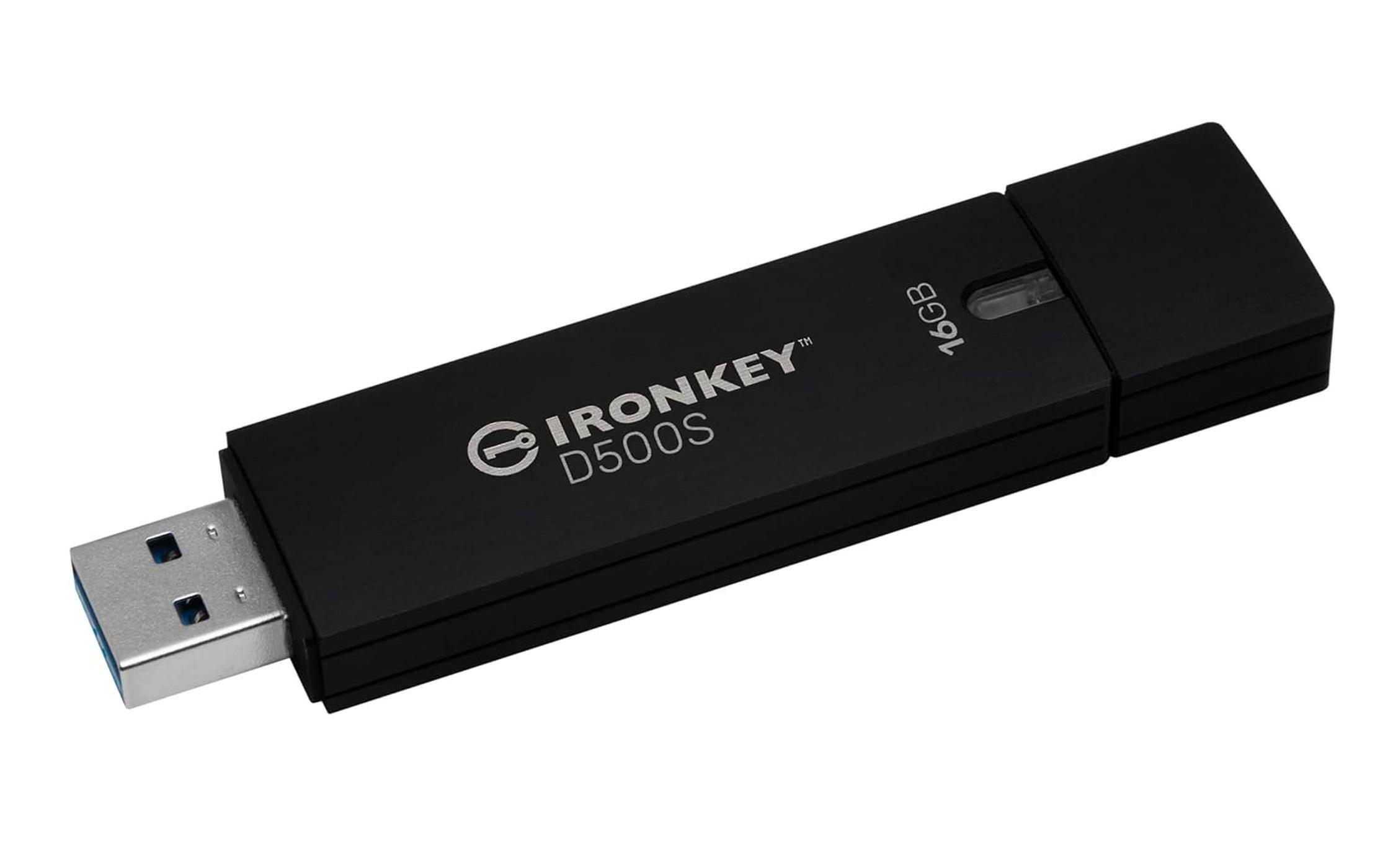 Kingston Ironkey D500S 16GB Encrypted Flash Drive | Dual Hidden Partition | FIPS 140-3 Level 3 | XTS-AES 256-bit | BadUSB and Brute Force Protection | Multi-Pin Option | IKD500S/16GB₹18,50062 · Good buy
 62 · Good buy
iStorage
₹16,712


DHRUVPRO
₹16,449

