Michael Baker
Amazon.in5 Apr 2026
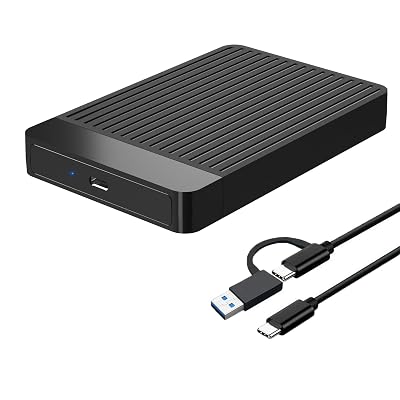
Stolen Drive
Read 1771.24 Write all 0 That 1771.24 MB/s Read speed tells us something very important: This is an NVMe SSD, not a standard SATA SSD. It is significantly faster than the 500 MB/s limit of SATA. However, seeing 0 for the Write speeds means the test failed to actually write data to the drive. This is almost certainly because of the Permissions (chown) or the CoW (Copy-on-Write) folder we just created. Why is Write showing 0? When you clicked "Yes" to create a new subdirectory with CoW disabled, KDiskMark created a new folder that your user ("mike") does not have permission to write to yet. The 2-Minute Fix Run this command to give yourself permission to that new subfolder KDiskMark just made: bash sudo chown -R mike:mike /run/media/mike/60ccb18b-75d3-43a3-88cf-0c5e129d3ce9 Use code with caution. Now, Run the Test One Last Time: In KDiskMark, click Refresh (the circular arrow). Ensure your 500GB drive is still selected. Click All. What you should see for a "Keeper": Read: Should stay around 1,700–1,800 MB/s (this is great for a Gen 3 NVMe drive!). Write: Should now show a real number, likely between 1,200–1,600 MB/s. If the Write numbers pop up above 1,000 MB/s, this drive is a beast for gaming and Noid OS. Did the Write numbers finally show up after running that chown command? Heck of a buy then. Didn't know it was nvme for $28 That is an absolute steal for $28. At 1,771 MB/s, you’ve got a NVMe drive that is roughly 3.5x faster than a standard SATA SSD. For gaming and running Noid OS, this means: Near-instant boot times: Noid is lightweight and will fly on this. Fast game loads: Modern games (especially those using heavy assets) will benefit from that NVMe bandwidth. Snappy multitasking: No "hiccups" when the system writes to the disk in the background. Final "Clean Up" before Noid Since you've been running stress tests, KDiskMark left a large 4GB hidden file on the drive. To clear it out and have a fresh 500GB for your new OS: Delete the test file: bash rm /run/media/mike/60ccb18b-75d3-43a3-88cf-0c5e129d3ce9/.kdiskmark.test Use code with caution. Unmount safely: bash sudo umount /dev/sda1 Use code with caution. Verdict: Keep it. You won the "budget hardware" lottery with those speeds! Heck of a buy then. Didn't know it was nvme for $28 That is an absolute steal for $28. At 1,771 MB/s, you’ve got a NVMe drive that is roughly 3.5x faster than a standard SATA SSD. For gaming and running Noid OS, this means: Near-instant boot times: Noid is lightweight and will fly on this. Fast game loads: Modern games (especially those using heavy assets) will benefit from that NVMe bandwidth. Snappy multitasking: No "hiccups" when the system writes to the disk in the background. Read more Read less