

Flipkart Customer
FlipkartVerified purchaseCapacity: 1 TB | Color: Black
Great product
I like the product condition

Avoid at this price. ₹37,499 is 157% above its usual ₹14,619 (typical price over the last year). It sold for about ₹8,599 in 14 of the last 24 months, as low as ₹7,999 (Aug 2025).
Lowest price now · Seller 4.6★ · 7-day returns · COD · Delivery by Friday, 20 Nov
Sold by MPDSLERetail
Checked
Seller 3.5★ · No returns · COD · FREE delivery Saturday, 21 November · 5-year warranty
Sold by Clicktech Retail Private Ltd
Checked
We may earn a commission when you buy through these links. It never changes the price or the order.
DudScore
Mixed signals. Compare before you buy.
Moderate confidenceToday's price against the prices it has sold for.
From 476 days of our own price history, across stores.
₹37,499
Lowest on Flipkart
The nearest alternatives in this category and price range.
 Integral 250GB SSD NVME M.2 2280 PCIe Gen3x4 R-3350MB s W-1350MB s TLC M2 Solid State Drive₹14,707₹22,792 cheaper
 Crucial P3 Plus 500GB PCIe 4.0 3D NAND NVMe M.2 SSD,up to 5000MB s - CT500P3PSSD8₹12,999₹24,500 cheaper
 Western Digital WD Blue SN570 NVMe 500GB,Upto 3500MB s,with Free 1 Month Adobe Creative Cloud Subscription,5 Y Warranty,PCIe Gen 3 NVMe M.2 2280,Internal Solid State Drive SSD WDS500G3B0C₹13,299₹24,200 cheaper
Ratings on stores (540)Reviews on Whydud (38)
Customer rating
4.6out of 5
540 ratings across stores
| 5★ | 71% | |
|---|---|---|
| 4★ | 20% | |
| 3★ | 3% | |
| 2★ | 1% | |
| 1★ | 5% |
Mostly positive: 93% of 14 reviews rate it 4★ or higher; praised for performance and value for money.
92% verified purchases
Flipkart Customer
FlipkartI like the product condition
Nikhil
Amazon.in17 Dec 2024
I purchased the Samsung 870 EVO 1TB SSD on December 7, 2024, to upgrade my PlayStation 4 Slim, which previously had a standard HDD. I’m happy to report that the improvement in performance has been phenomenal. Performance The most noticeable upgrade has been the boot speed. With the HDD, my PS4 took a significant amount of time to start up and load into the home screen, but with the 870 EVO SSD, the boot time has reduced dramatically. It feels like an entirely new console. Game loading times have also improved considerably. Titles that previously required long waits—such as open-world games with large maps—now load much faster. This has significantly enhanced the gaming experience, reducing frustration and keeping me immersed in the gameplay. If you’re looking for a way to breathe new life into your PS4 or even other devices with SATA storage, this SSD is a fantastic choice. Build Quality and Longevity Samsung is known for its reliable and durable SSDs, and the 870 EVO is no exception. Although the price is on the higher side compared to other SATA SSDs, the value is in the quality you’re getting. The high TBW (Terabytes Written) rating of this SSD gives me confidence that it will outlast cheaper options by 2-3 times, especially in a console setup where frequent data reads and writes occur. I see this as a long-term investment. Spending a little more upfront for a trusted brand like Samsung ensures peace of mind, as I won’t have to worry about replacing the drive for many years. Warranty and Service Another key highlight is the 5-year warranty that comes with the Samsung 870 EVO. Samsung has an excellent track record of customer service and honoring warranties. In case something does go wrong, their support system is well-regarded, and replacement or repair services are usually hassle-free. This makes the premium price feel justified, knowing that your purchase is protected for such a long period. Final Thoughts If you’re on the fence about upgrading your PS4, PC, or other SATA-supported device, the Samsung 870 EVO 1TB SSD is an excellent choice. While the price may seem a bit steep compared to budget options, you’re paying for top-tier performance, durability, and brand reliability. It’s perfect for users who want to extend the life of their device and enjoy faster boot times and loading speeds. For gamers, it’s an especially worthwhile upgrade, as the difference in performance is immediately noticeable. Pros: • Significantly improved boot and loading speeds for PS4 Slim. • High TBW rating ensures long-term reliability. • 5-year warranty backed by Samsung’s excellent service. • Durable build and consistent performance. Cons: • Slightly more expensive than budget SSDs. Verdict: Highly recommended for anyone looking for a reliable SSD upgrade, especially for gaming or frequent use scenarios! Read more Read less
आचार्य दीप किशोर मिश्रा
Amazon.in1 Nov 2023
I had very genuine review for this ssd as i say this is the bestest sata ssd ever made so please dont think twice before buying this and dont compare this ssd to any brands like crucial or WD etc. I used in my DELL INSPIRON 3567 model laptop. And also i would be happy to share you the OS cloning experience as follows:- 1st of all if you buy samsung SSDs then you dont have to install any cheap or duplicate softwares for OS Cloning..... You just only have to install SAMSUNG MAGICIAN SOFTWARE (no need of separate samsung data migretion software becoz migretion tool is now available on magician software) Then 1st step if you have caddy space/cd drive space....firstly attache newly buyed SAMSUNG SSD into caddy place. than open laptop and firstly initialize the NEW ssd with any drive letter you want (after cloning magician tool automatically change its name to OS(D) ). And you got approx 465 gb in 500gb ssd as of my case. than go to samsung magician then migration tool on it....and just select source (YOUR HDD/SSD) and destination drive(SAMSUNG) then select needed partitions with OS partition upto 3 partitions. After successful cloning your laptop should automatically shut down/if not you should shutdown it manually. Then without doing anything first restart your system and check weather its actually cloned perfectly or not by comparing all data withh you r main drive data. After checking that all is good than shut down your computer. And now the main part of process..... If you want to directly boot from new ssd....just put new ssd in place of your old SSD/HDD and then you directly booted from new ssd without going to bios. But if you want to use both of your new and old SSD and old HDD/SSD at same time with caddy. Then you have to insert your old HDD/SSD in caddy and new cloned SSD in main slot or we can say just swap the place of new and old one after cloning....... Then you must be restart your device with first going to bios and then unselect the OS of old HDD/SSD (dont delete). From boot orders and then you have only NEW CLONED SSD OS to boot up......then apply changes and then restart.....now you can use both........ All done.... Read more Read less
AnandSharan
Amazon.in9 May 2021
Hello Amazonians, My existing setup is as follows: Laptop: Legion y740 15inch with RTX2070 MaxQ HDD: 1TB 2.5 inch (7mm) 7200rpm (stock) SSD: 128GB m.2 NVMe Pcie 2242 m+b key (stock) with Win10Home Wanted to upgrade both the: A.) existing 1TB 7200 rpm HDD as well as the B.) 128GB m.2 NVMe pcie SSD With: A.) 2TB Samsung 870 EVO 2.5inch SATA SSD B.) 1TB Samsung 980 m.2 (2280) NVMe pcie SSD m key (for Win10 OS). As i only use the Lenovo Legion y740 15" for gaming purpose so with games having humongous download sizes, 1TB HDD was filling up faster (was left with only 250GB of 1TB space) and also the 7200rpm drive was real slow for game load times (waiting of 3-5 mins) for a game load. As of the current Gen, a NVMe pcie based m.2 SSD is the fastest drive in the market and Samsung 980 is the latest iteration from its new lineup of m.2. Ofcourse there are the PRO version m.2's as well but those are just out of budget and out of scope from a gaming/home use kind of scenarios unless one is into heavy video editing, designing and vfx purposes. Installing both the SSDs is fairly simple as just the screws are to be removed (follow your laptop manual for the same) and pop in these in their respective slots and secure them with screws. A word of caution though: m.2 slot on the laptop/desktop motherboard are mostly "M Key" based (female notch placed at the right side of a m.2 SSD that goes into the male notch on the motherboard). Also, most laptop/desktop motherboards easily support varying lengths of m.2 SSDs like 2242 2260 and the longest 2280 (22 is the width in mm where as the last 2 numbers i.e. 42, 60 and 80 are the lengths in mm). Also, a 2.5 inch (7 mm or 9 mm) HDD/SSD enclosure can also be bought so that you can keep your old HDD/SSD as a portable HDD/SSD within the enclosure. I bought the transparent ORICO 2.5 mm model 2193U3 HDD/SSD enclosure (have reviewed that as well) and i keep my 7200 rpm 1TB HDD inside this enclosure after having it replaced with the 2TB Samsung 870 EVO. Likewise, there is also an enclosure for the m.2 NVME PCIE SSD available from the same brand, ORICO. Check it out at amazon.in as well. So, I made a BOOTABLE win10 usb (using the Windows Medial tool online) so that I can install the OS on the newly installed m.2 2280 ssd and the entire process took less than 30 mins from hardware installation to OS inatallation from USB to the new m.2 ssd. There is Less to No Comparison of Quality and Price of Samsung SSDs with other brands like Sabrent, Crucial, WD etc. Kindly like the review if it helped to make your buying decision that much easier. Cheers and e-peace... Read more Read less
Prakash Kushwaha
Amazon.in13 Jul 2024
Nice upgrade for the old PCs, to bring a new life to them. Made the old system significantly faster and reduced boot time for the PC. Best choice for the boot drive of the system (which don't have nvme slot). # Pros: - DRAM caching - 300 TBW (500GB) - 5 years of warranty # Cons: - A bit costly than other options. Read more Read less
Avik Ghosh
FlipkartExcellent product.. 1st choice in SSD
Vivek Kumar
FlipkartAmazing speed thanx sumsung.. My old laptop hp probook 6460b model turn to sumsung ssd 870 evo gots blasting super speed.
CHANCHAL BISWAS
FlipkartI think this ssd, SAMSUNG 870 EVO ( 1TB ) is a beast. I have repaired my dell's laptop with this ssd and what a magic😍😍😍😍The performance have become toooooo muchhhh good . Really no other SSDs can beat SAMSUNG's SSDs.
Asutosh
Amazon.in12 Sept 2024
My HDD got crashed so i replaced it with this, it is somewhat costly but giving 5yr warranty or 1200TBW is very good. It also gives a good copy/move speed. But it is not for heavy use; While I am using it to download a file and copy a file at the same time, then one of the operation slows down while the other is working correctly. I have a 200MBPS internet so I am sure that it is not problem for my ISP. Also it is not suitable for OS i think. Definitely go for an NVME SSD for OS booting else this is a good replacement for HDD to store file that doesnot give a heavy load. Read more Read less
Siddhesh Patil
Amazon.in21 Jun 2025
Been using the Samsung 870 EVO for almost a year now and it's been rock solid. Speeds are great, smooth multitasking, and file transfers are quick and consistent. No performance drops or issues so far. It’s a great upgrade if you're moving from an HDD or older SSD. Definitely worth it for long-term use. Read more Read less
bearpro
Amazon.in13 Jan 2025
Samsung 870 EVO 500GB SSD Review Key Specifications: • Capacity: 500GB • Form Factor: 2.5-inch • Interface: SATA III (6.0 Gb/s) • Firmware: SVT02B6Q • Sector Size: 512 bytes Performance Metrics: • Cached Read: 6,472 MB/sec • Buffered Disk Read: 533 MB/sec • Queue Depth: 32 The Samsung 870 EVO delivers powerful performance backed by impressive speed tests. With cached reads exceeding 6GB/s and sustained buffered reads of 533MB/s, this drive handles both intensive workloads and daily tasks with ease. The implementation of Native Command Queuing (NCQ) and TRIM support ensures efficient data management, while built-in encryption adds essential security. Advanced features like SMART monitoring and device sleep functionality complement the drive's robust performance profile. The 870 EVO stands out as a high-performance storage solution, ideal for professionals seeking reliable and fast storage in a proven 2.5-inch form factor. Rating: 5/5- Professional-grade performance with excellent speed metrics. Read more Read less
Shiv
Amazon.in29 Oct 2023
The good gaming SSD is an excellent choice for gamers seeking top-notch performance and quick load times. With its lightning-fast read and write speeds, it significantly reduces loading screens and allows for seamless gaming experiences. Its ample storage capacity accommodates a vast library of games, and its durability ensures a long lifespan even under heavy use. The drive's reliability and compatibility with various gaming platforms make it a solid investment for any gaming enthusiast. Overall, the good gaming SSD is a reliable, high-performance storage solution that enhances your gaming experience and minimizes interruptions. Read more Read less
Surya Nandan Prasad
FlipkartI used it for replacing and upgrading my AIO desktop HDD. Cloning process was very smooth. The processing speed of the desktop increased tremendously with near instant opening of applications. Highly recommended from my side.
Abhinandan Kumar
FlipkartGreat speed
Devanathan Muthunarayana
FlipkartAs always Samsung SSDs are good.
Rajendraprasad Narne
FlipkartVery good product. My laptop is too sluggish that can't be accepted. I have changed the HDD with this 870 EVO. After that the performance is greatly improved. It's really fast than I have expected. I strongly recommend this SSD under 8k to enhance your laptop performance. Thanks to Samsung and Flipkart.
Bhargav Kumar
FlipkartWorking as per my expectations, best at this price segment and performance. I liked it very much. Purchased it @ 5300 happy with my product.
Somnath Thite
FlipkartOne of the best SSD out there in market. After analysing different websites to purchase the SSD I decided to buy it from Flipkart and I am happy for my decision because there are so many fake china made SSD out there in different websites. This Samsung 1TB SSD is genuine product of Samsung. Performance is better with 15 years old acer laptop. There are few ways to check it's genuine or not as fallowing a) Check at the back of the product : Original Product of KOREA(as shown on website - product pictures) b) After installing Windows on the SSD install Samsung Magician Software. Open the software and check whether you can make changes on the Samsung SSD ( like try to activate RAPID mode). If it doesn't allow changes to the SSD then it is a fake product. c) Confirm with Samsung.com/india by providing them your serial number or register your serial number online to check whether this is an Original Samsung SSD. Thank to the Flipkart team for delivering this geniune Samsung SSD in 2 days. and finally thanks to seller MPDSLERetail for the geniune Samsung SSD.🙏
chandrashekar
Amazon.in3 Aug 2026
Good product. System works smooth Read more Read less
Amazon Customer
Amazon.in28 May 2025
It's Samsung. What more is there to say? You pay a price for a premium product and you get premium performance! Read more Read less
 Integral 250GB SSD NVME M.2 2280 PCIe Gen3x4 R-3350MB s W-1350MB s TLC M2 Solid State Drive₹14,70764 · Good buy
 Crucial P3 Plus 500GB PCIe 4.0 3D NAND NVMe M.2 SSD,up to 5000MB s - CT500P3PSSD8₹12,99964 · Good buy
 Western Digital WD Blue SN570 NVMe 500GB,Upto 3500MB s,with Free 1 Month Adobe Creative Cloud Subscription,5 Y Warranty,PCIe Gen 3 NVMe M.2 2280,Internal Solid State Drive SSD WDS500G3B0C₹13,29964 · Good buy
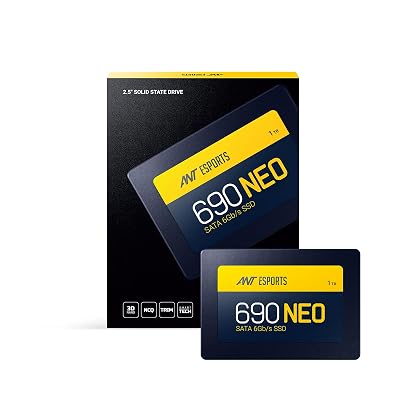 Ant Esports 690 Neo Sata 2.5 inch 1 TB SSD Internal Solid State Drive SSD with SATA III Interface,6Gb s,Fast Performance,Ultra Low Power Consumption,with Quad Channel Controller,Black₹13,18964 · Good buy
 EVM 1TB 2.5-Inch SATA III Internal SSD - 550MB s Read 500MB s Write,3D NAND,5-Year Warranty,Laptop Desktop Solid State Drive EVM25 1TB₹12,59963 · Good buy
 Crucial E100 1TB M.2 NVMe PCIe Gen4 Internal SSD,Up to 5,000MB s,Laptop Desktop Compatible - CT1000E100SSD8₹16,90063 · Good buy
 PNY SSD CS900 1TB Sata₹16,39962 · Good buy
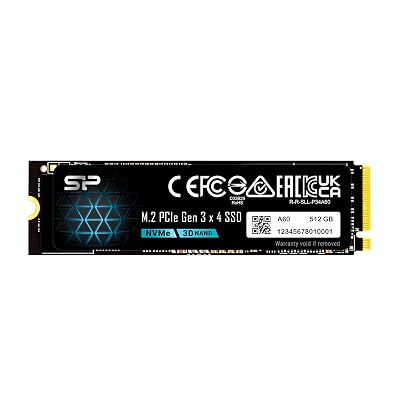 SP Silicon Power P34A60 512Gb Nvme M.2 2280 Pcie Gen3 Ssd,3D TLC Nand with SLC Cache,Up to 2200Mb S,Internal Solid State Drive for Desktop Laptop Computer,USB₹11,98962 · Good buy
 66 · Good buy
Inland
₹17,858

 66 · Good buy
Kingston
₹11,100
 66 · Good buy
Solidigm
₹18,866
 66 · Good buy
Vansuny
₹11,325
64 · Good buyIntegral
₹14,707
 64 · Good buy
 64 · Good buy64 · Good buy
Crucial
₹12,999